Supergrow

AI LinkedIn® Post Generator for Employee Advocacy

Turn employee expertise into LinkedIn® posts worth publishing

Capture ideas from executives and employees, shape each draft in their own voice, then review, approve, and schedule every post from one place.

Start free trial

7-day free trial · Activating 10+ executives? Schedule a demo

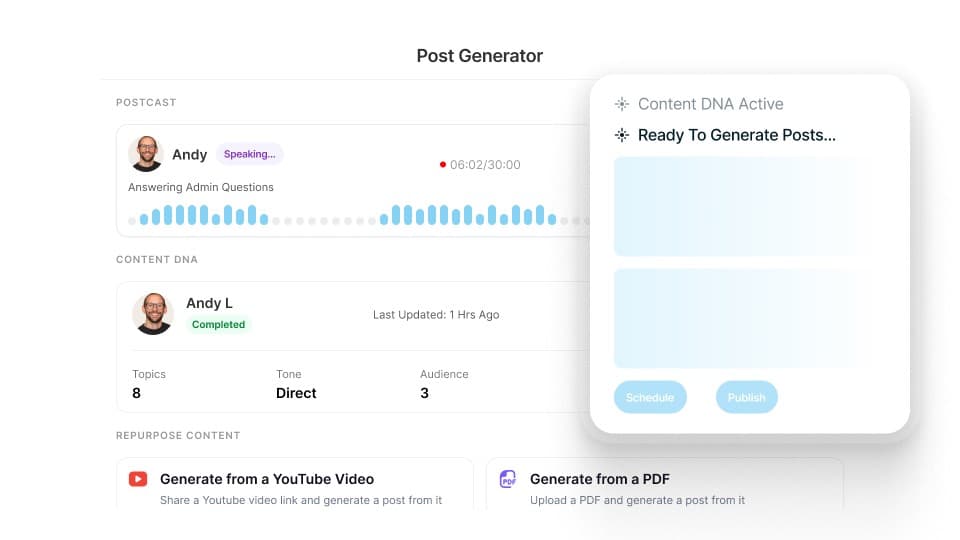
Supergrow Post Generator with a PostCast recording and Content DNA active

How it works

From employee idea to approved post. Three steps.

Capture the expertise, shape the draft, and keep the team workflow moving.

Postcast
TopicLinkVoice note

01 Capture a real idea

Start a PostCast, record a voice note, type a topic, or add a source your team already has.

Content DNAapplied
ToneOpinionsVocabulary

02 Create in the employee's voice

Content DNA applies the person's role, audience, topics, opinions, and writing patterns to the draft.

In review
Approved
Scheduled

03 Review, approve, and schedule

The employee and marketing can edit the post, complete the right review, and place it on the team calendar.

Employee trust

Every post goes out under their control.

Marketing can create a draft inside a member workspace, but it stays attached to that employee's Content DNA and follows the review path your team sets. The employee edits, reviews, and chooses what appears under their name.

Supergrow is a LinkedIn verified partner.

Official LinkedIn API

Each person connects their own account with OAuth, the way LinkedIn asks its partners to. There is no password to hand over and no browser extension to install on an employee's machine.

A distinct voice per person

Every team member keeps their own Content DNA, so drafts read in their language and point of view instead of one template signed by ten people.

Everything in one place

Give every expert a useful start. Keep every voice distinct.

Supergrow starts with real expertise and each employee's context, not a blank prompt or shared corporate template.

Content DNA

Each employee's voice, topics, and point of view.

Content DNA stores how each person communicates, what they know, who they want to reach, and the views they can credibly own. Every draft begins with the right context.

  • Learns from existing LinkedIn® posts and writing, or an admin-led setup
  • Captures role, audience, expertise, topics, opinions, tone, and vocabulary
  • Applies the same context to every draft, ready for the employee to review
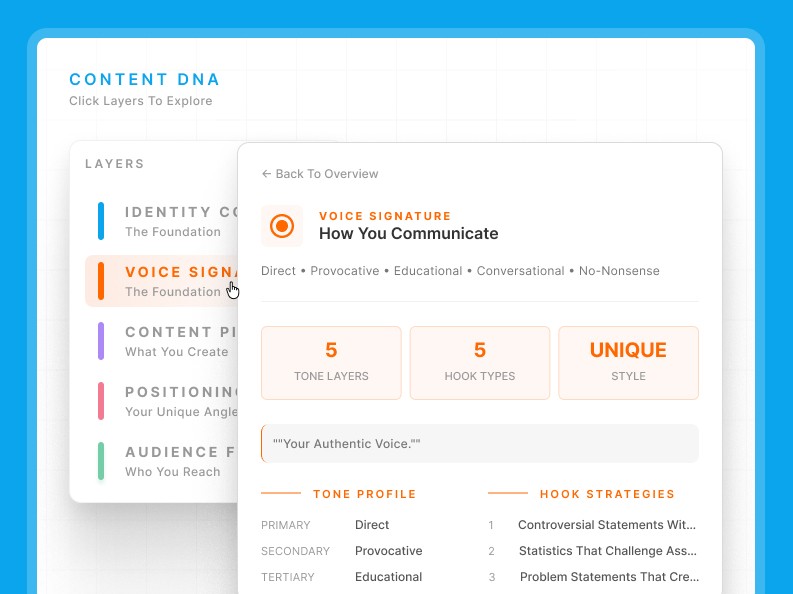
Supergrow Content DNA voice profile with tone layers and hook strategies

PostCast

A short conversation becomes a batch of ideas and drafts.

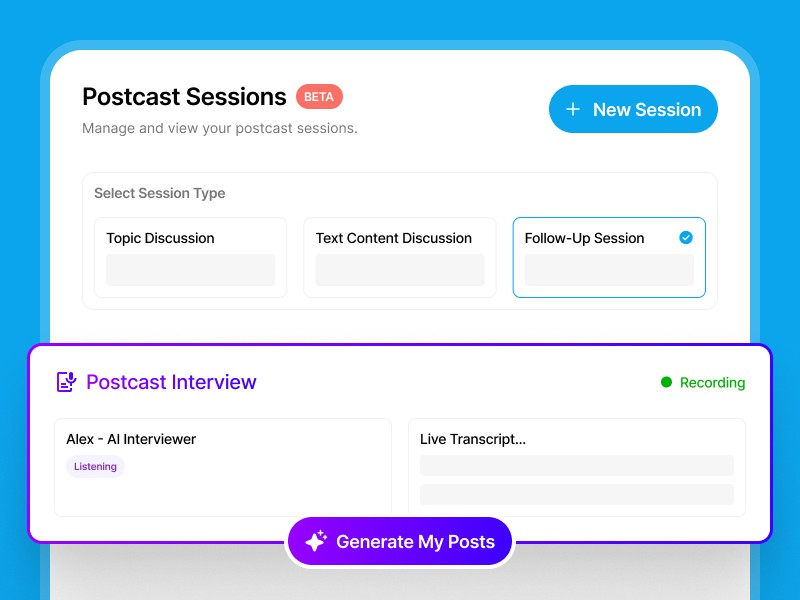
PostCast guides an employee through a focused conversation about their work, decisions, and lessons. Follow-up questions surface the details marketing needs to shape credible posts.

  • Creates 3-5 distinct draft posts from one 10-15 minute conversation
  • Adapts follow-up questions to the employee's answers
  • Keeps the employee's review and final choice clear
Supergrow PostCast interview session with Alex, the AI interviewer, recording

Team-wide Repurposing

Turn one campaign into distinct employee posts.

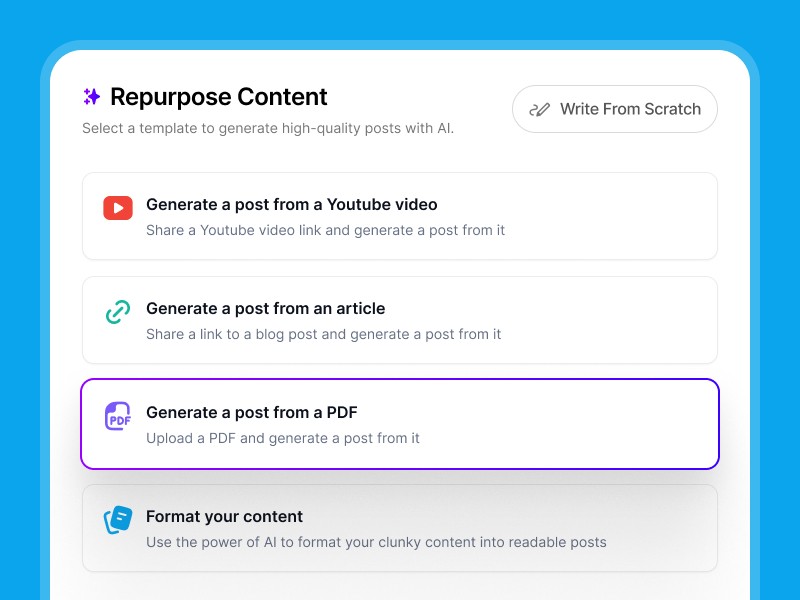
Add a topic, article, report, PDF, video, transcript, or voice note. Team-wide Repurposing creates relevant drafts for selected employees using each person's Content DNA.

  • Generate from topics, articles, PDFs, videos, transcripts, or voice notes
  • Each draft is written with that person's Content DNA applied by default
  • Choose a useful hook and angle for the employee's role and audience
  • Edit, send for review, approve, and schedule in the same workflow
Supergrow repurposing templates for turning one source into posts for several people

Content Board

See every draft and review stage.

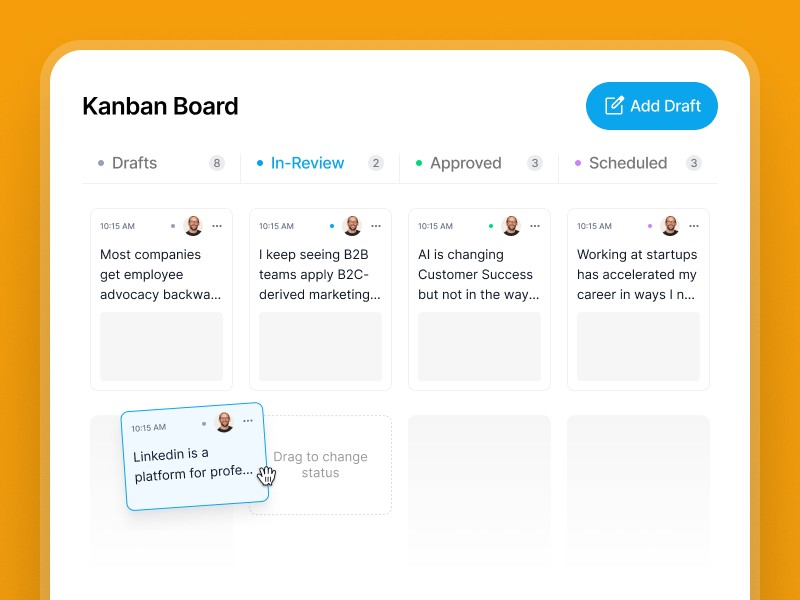
Content Board shows what is in draft, in review, approved, scheduled, or published across the team.

  • Columns for drafts, in review, changes needed, approved, scheduled, and published
  • Filter to one workspace to see a single person's queue, or view everyone at once
  • Select several drafts and send them all for approval in one action
Supergrow Content Board with draft, in-review, approved, and scheduled columns

Calendar

Keep the publishing schedule moving.

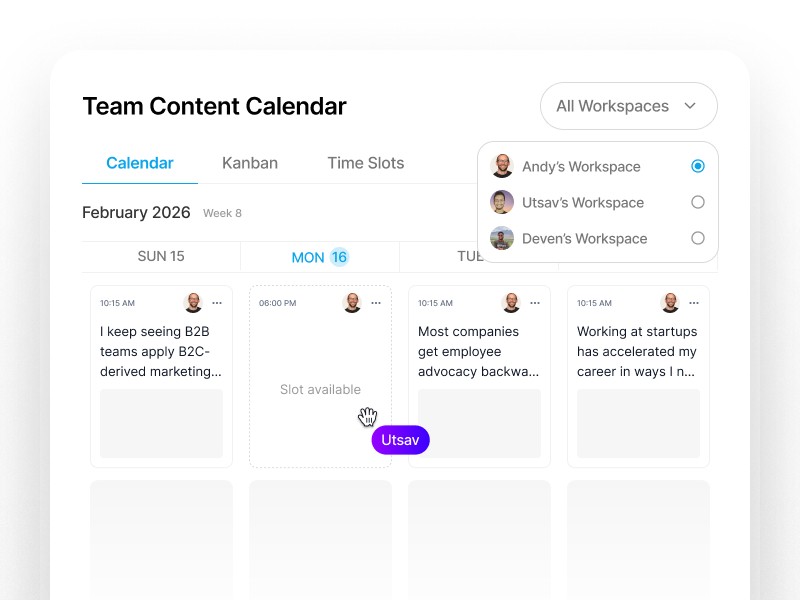
Use the calendar and open time slots to see who is ready to post and where the next gap needs support.

  • Week and month views covering every member workspace
  • Click an empty slot to schedule a new draft or an existing one into it
  • Recurring time slots per workspace keep the posting cadence steady
Supergrow team content calendar with open slots across member workspaces

Built for the teams running employee-led LinkedIn® programs

Marketing and communications teams

You need a reliable way to gather expertise, improve drafts, and keep reviews moving across busy leaders and subject-matter experts.

Supergrow keeps each employee's context, drafts, feedback, approvals, and schedule attached to one workspace.

Demand generation and social selling teams

Your team has campaign assets, customer lessons, and market points of view. The harder job is helping the right employees turn them into relevant posts.

Use team-wide repurposing, Content DNA, and a shared workflow to support multiple voices without publishing the same copy.

Executive thought leadership programs

Executives have useful ideas inside calls, decisions, and quick voice notes. They rarely have time to begin with a blank page.

Marketing can run a Content Interview, create the draft in the executive's workspace, and send it through a low-friction review.

Proof from teams using Supergrow

See how teams capture expertise, keep reviews moving, and build a steady LinkedIn® publishing rhythm.

"Supergrow has completely changed the way we work. The credential-free onboarding, dedicated workspaces, and automation have saved us countless hours."
Justin ObermanJustin ObermanFounder, Genius Scout
"I've tried everything, Notion, and other scheduler tools, but Supergrow made my life so much easier. It's intuitive, efficient, and helps me deliver better results for my clients."
Sarra RichmondSarra RichmondGhostwriter
"Supergrow has transformed the way we manage LinkedIn® for our clients. It's efficient, reliable, and makes scaling our operations effortless."
Moshe PesachMoshe PesachFounder, StepUp Media Group
"If you're already using Make or Zapier, the Supergrow API fits right in. It's reliable, clean, and gives our team the time back to focus on client success."
Kareem MostafaKareem MostafaFounder, Bonafide
"Supergrow has increased my productivity by at least 50%. The scheduling and AI tools make content creation feel effortless."
Sarra RichmondSarra RichmondGhostwriter
"Supergrow has completely changed the way we work. The credential-free onboarding, dedicated workspaces, and automation have saved us countless hours."
Justin ObermanJustin ObermanFounder, Genius Scout
"I've tried everything, Notion, and other scheduler tools, but Supergrow made my life so much easier. It's intuitive, efficient, and helps me deliver better results for my clients."
Sarra RichmondSarra RichmondGhostwriter
"Supergrow has transformed the way we manage LinkedIn® for our clients. It's efficient, reliable, and makes scaling our operations effortless."
Moshe PesachMoshe PesachFounder, StepUp Media Group
"If you're already using Make or Zapier, the Supergrow API fits right in. It's reliable, clean, and gives our team the time back to focus on client success."
Kareem MostafaKareem MostafaFounder, Bonafide
"Supergrow has increased my productivity by at least 50%. The scheduling and AI tools make content creation feel effortless."
Sarra RichmondSarra RichmondGhostwriter

Frequently asked questions

Content DNA stores the person's role, audience, topics, opinions, tone, vocabulary, and writing patterns. Supergrow applies that context whenever it creates a draft in their workspace. The employee can then edit, review, and choose what appears under their name.

Start with a topic, article, public URL, PDF, YouTube video, transcript, PostCast conversation, or Voice Note. Supergrow turns the source into a draft and applies the selected employee's Content DNA.

Yes. A program manager can run a Content Interview, add source material, or create a draft inside a member workspace. The post stays connected to that employee's Content DNA and follows the review path your team sets.

Yes. Team-wide Repurposing turns one article, report, PDF, or video into drafts for selected employees. Each draft can use a different role, angle, and voice instead of repeating shared copy.

Drafts move through the Content Board from creation to review, approval, scheduling, and publishing. Marketing can see the current owner and status, while employees keep the ability to review and edit their posts.

The Post Generator supports the creation stage and connects it to the rest of the program. Teams can capture expertise, create distinct drafts, manage reviews, schedule posts, and learn from personal and team analytics in one system.

Begin with a small cohort of leaders or subject-matter experts. Learn what helps them contribute and publish consistently, then expand the program from a workflow your team can support.

Give your team's expertise
somewhere to go.

Capture useful ideas, shape distinct employee posts, and run the review and publishing workflow from one place.

7-day free trial · Cancel anytime